
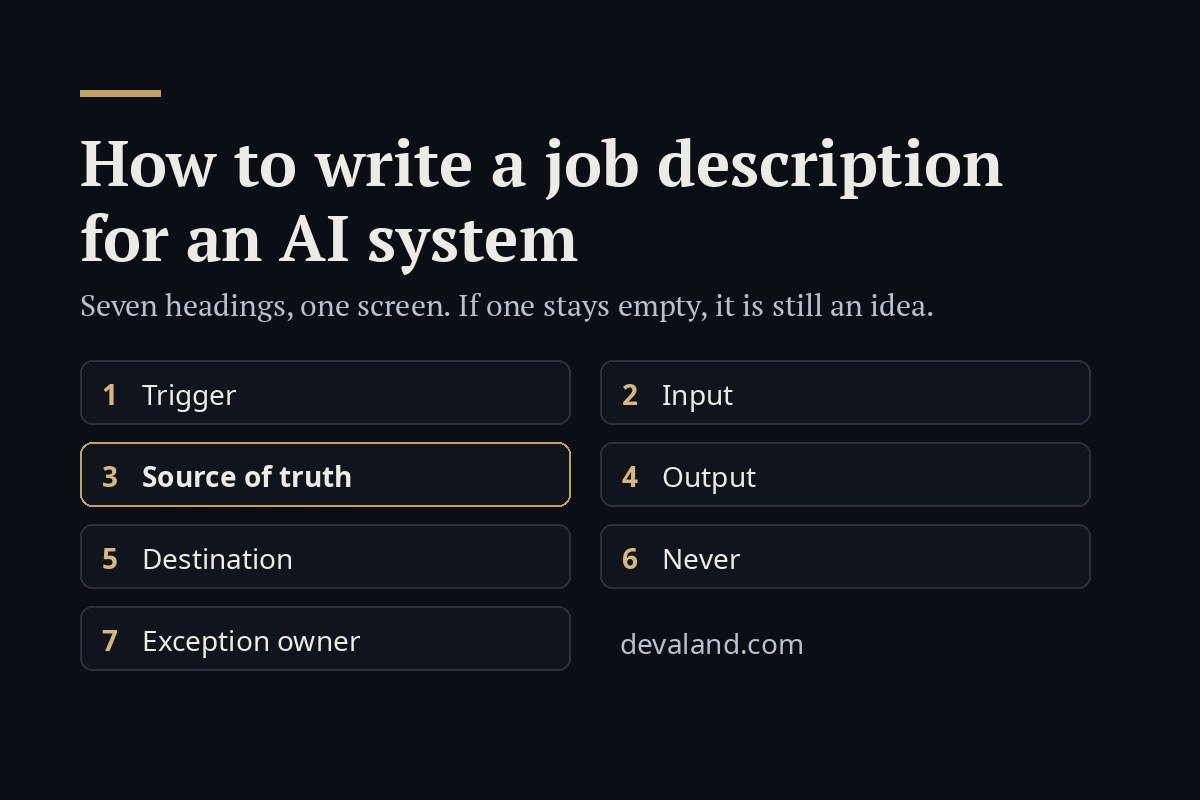
Quick answer: A job description for an AI system is one screen with seven headings: trigger, input, source of truth, output, destination, never, and exception owner. If every heading can be filled in, the job can be built. If one stays empty, it is still an idea, and the empty heading tells you what to decide first.
Most AI projects in small teams start with a question: "can AI do our invoices?", "can it answer our customers?". A question is something you ask once. A system needs a job: something that happens again and again, with a start, an input, a result and a place where the result goes.
When I scope a system, for a client or for my own company, I write the job under seven headings before anything is built. If the seven fit on one screen, the job can be built. If one of them stays empty, it is still an idea, and building it turns into weeks of discovering the missing heading the hard way.
A question versus a job
"Summarise this contract" is a question.
"Every time a signed contract lands in the contracts folder, extract the parties, the start date, the renewal date and the notice period, add them as a row to the renewals sheet, and list any contract where one of those four fields could not be found" is a job.
The second version has a trigger, an input, an output, a destination, and one thing most people forget: what happens when the system cannot do the job. A job described like this can be handed over. A question cannot, because every time it comes up someone has to decide to ask it.
The seven headings
- Trigger. What starts it, without a person pressing anything. An email arriving, a file landing, a time of day, a new row.
- Input. Exactly what it reads. Not "the customer's details" but "the body of the email and the order number in the subject line, if there is one".
- Source of truth. Where the facts come from, and which source wins when two disagree.
- Output. What it produces: a reply, a row, a report, a flag, a file.
- Destination. Where the output goes: the customer's inbox, a drafts folder for review, a sheet, a queue.
- Never. What it must not do on its own, however confident it is, and what it does instead.
- Exception owner. The named person who handles everything the system sets aside, and how often they look.
A worked example
This example is invented for teaching: a small distribution business, and the job of keeping the returns spreadsheet up to date from the returns inbox.
Job description: returns spreadsheet
- Trigger: a new email arrives in returns@.
- Input: the email body, the order number in the subject or body, and any attached return form.
- Source of truth: the shop system for the order and the customer; the return form for the reason. If the email and the shop system disagree on the order, the shop system wins.
- Output: one row per return: order number, date, items, reason, status "unconfirmed".
- Destination: the Returns sheet, tab "New".
- Never: approve a refund (it marks the row "refund to review" instead); create a row for an order number that does not exist in the shop system (it lists the email for a person); guess a field it could not read (it leaves the field empty and says so).
- Exception owner: the operations coordinator, twice a day, 10:00 and 15:00.
It fits on one screen. Every heading is filled in. That is the test.
The heading people skip: source of truth
If I had to pick one heading that decides whether a system works in practice, it is the third one. Teams write "the system checks the customer's data" without saying where that data lives. Then the email says one address, the shop says another, and the system has to choose. Without a written rule it chooses differently every time, and nobody can say afterwards why it did what it did.
Write down where each fact comes from, and which source wins when two disagree. It takes one line and saves the most arguments later.
"Never" needs an alternative
A never list like "do nothing risky" is a wish, not a rule. Each line should be concrete, and each one needs what the system does instead:
- it does not issue a refund, it marks the row for a person;
- it does not answer a question about a product that is not in the records, it hands the email to a person;
- it does not report "nothing found" when it could not read a document, it says it could not check.
The strongest version of a never line is missing access: a system that has no access to payments cannot pay wrongly.
Three answers, not two
A useful system reports every item in one of three states: done, set aside (with the reason in one sentence), or could not check. The third matters because a failed search and a search that found nothing look the same. If they are not kept apart, an outage becomes a reassuring "all clear".
Start in draft mode
The safest way to start is to let the system do the whole job except the last step. It writes the reply but leaves it in drafts. It fills the row but marks it unconfirmed. A person reviews for a while, and each kind of item earns the right to be finished on its own only after the record shows it can be trusted, one category at a time.
Try it on one job
Pick one repetitive task from your own week and write it under the seven headings. If a heading stays empty, that is the useful finding: it tells you what to decide before anyone builds anything.
The 80-second version is on YouTube.
The full method, with the scoring of candidate jobs, the never list and draft mode worked through step by step, is in my workbook Giving an AI a Job: The Workbook, which Leanpub featured on its home page on 22 October 2026. More about it: the workbook page.