
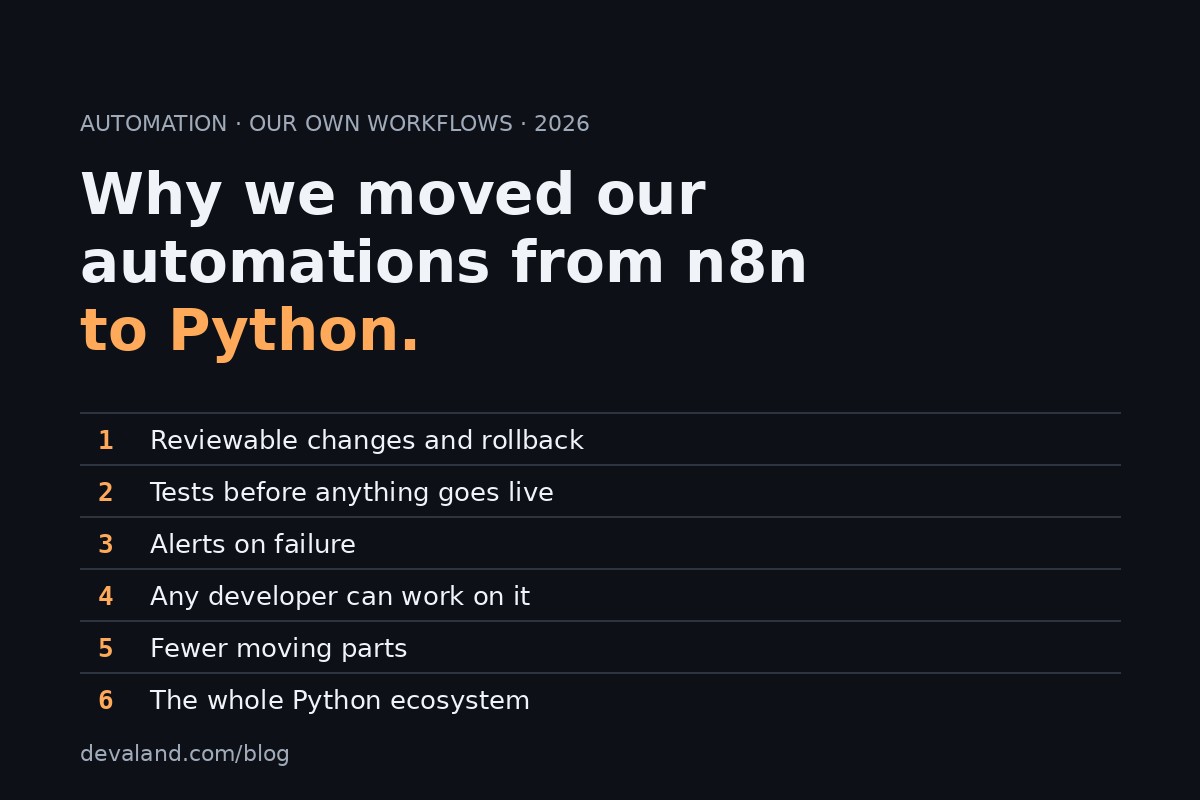
Quick answer: We ran n8n ourselves. As our automations grew, three things mattered most: testing every change, reviewing who changed what, and knowing within minutes when something failed. Those were easier to get right in code, so in 2026 we moved our automations to Python and removed n8n from our servers. n8n is a good tool, and there are cases where it is still the right one. This article explains what changed for us and shows one small workflow of ours rebuilt in Python, with its test.
Our story
We ran n8n on our own server for a while. It was quick to start: you drag nodes onto a canvas, connect them, and a lead alert or a data sync works within an hour.
Then the number of automations grew. Some were small, some were customer-facing, and a few became part of how the business actually runs. At that point the questions changed. They were no longer "can it do this?" but:
- Can I test a change before it touches the live flow?
- Can I see exactly who changed what, and go back to the version from last week?
- Will I know within minutes if it stops working, instead of when a customer tells me?
All three are things software teams solved long ago for code: version control, automated tests, monitoring. We could bend a visual tool toward them, but it was simpler to put the automations in the place where those practices already live. So in 2026 we moved all of them to Python and removed n8n.
What we gained
- Reviewable changes and rollback. Every change is a commit with an author, a date and a diff, and a bad change is one revert away.
- Tests before anything goes live. A change runs against automated tests first. A broken step shows up on our side, not in front of a customer.
- Alerts on failure. A failed step raises an error and an alert, and logs say what happened and when.
- Any developer can work on it. Python is a common skill. Nobody has to learn a tool's own conventions to fix or extend an automation.
- Fewer moving parts. No separate automation server to host, update and secure. The automation is a small program that runs where you already run code.
- The whole Python ecosystem. Libraries, SDKs and tooling for almost every service are one import away.
Built to stay up in production
Every change is tested before it goes live, every failure triggers an alert, and security is part of the build from the first commit: secrets kept out of the code, dependencies checked for known vulnerabilities, and each part given only the access it needs.
A worked example from our own workflows
This is one of our own n8n workflows, a small lead alert from our archive of exported workflows. It had five nodes:
- A webhook that receives a new lead (a POST request from a form).
- A code node that normalizes the fields (different forms name the same field differently) and flags the lead as hot when the message contains words like "emergency" or "no heat".
- An if node that lets only hot leads through.
- A Telegram node that sends the alert.
- An HTTP request node that sends the same alert by email through an email API.
What we left out here, on purpose: the chat id, the recipient address and the email credential, which in the original lived inside the node settings. In the Python version none of them appear in the code.
Here is the Python equivalent. It uses only the standard library.
"""Hot-lead alert: webhook payload in, Telegram and email out."""
import json
import logging
import os
import urllib.request
from http.server import BaseHTTPRequestHandler, HTTPServer

log = logging.getLogger("lead_alert")
URGENT = ("urgent", "emergency", "asap", "immediately", "no heat",
          "no cooling", "ac broken", "furnace not working")
ALIASES = {
    "name": ("name", "full_name", "customer_name"),
    "phone": ("phone", "phone_number", "mobile"),
    "email": ("email", "email_address"),
    "service": ("service", "service_type", "job_type"),
    "message": ("message", "issue", "description"),
}


def normalize(payload: dict) -> dict:
    data = payload.get("body", payload)
    lead = {}
    for field, names in ALIASES.items():
        lead[field] = next((data[n] for n in names if data.get(n)), "-")
    text = f"{lead['message']} {lead['service']}".lower()
    lead["hot"] = any(word in text for word in URGENT)
    return lead


def render(lead: dict) -> str:
    return (f"HOT LEAD\nName: {lead['name']}\nPhone: {lead['phone']}\n"
            f"Service: {lead['service']}\nIssue: {lead['message']}\n"
            "Respond within 5 minutes.")


def _post(url: str, body: dict, headers: dict | None = None) -> None:
    req = urllib.request.Request(
        url, json.dumps(body).encode(),
        {"Content-Type": "application/json", **(headers or {})})
    urllib.request.urlopen(req, timeout=10).read()


def send_telegram(text: str) -> None:
    token = os.environ["TELEGRAM_TOKEN"]  # secrets come from the environment
    _post(f"https://api.telegram.org/bot{token}/sendMessage",
          {"chat_id": os.environ["TELEGRAM_CHAT_ID"], "text": text})


def send_email(text: str) -> None:
    _post("https://api.resend.com/emails",
          {"from": os.environ["MAIL_FROM"], "to": os.environ["MAIL_TO"],
           "subject": "Hot lead", "text": text},
          {"Authorization": "Bearer " + os.environ["RESEND_API_KEY"]})


def handle(payload: dict, channels=(send_telegram, send_email)) -> bool:
    lead = normalize(payload)
    if not lead["hot"]:
        log.info("warm lead, no alert")
        return False
    text, failed = render(lead), []
    for send in channels:
        try:
            send(text)
        except Exception:
            log.exception("channel %s failed", send.__name__)
            failed.append(send.__name__)
    if failed:  # one alert on failure: log at ERROR, picked up by monitoring
        log.error("ALERT lead not fully delivered, failed: %s", failed)
    return len(failed) < len(channels)


class Hook(BaseHTTPRequestHandler):
    def do_POST(self):
        raw = self.rfile.read(int(self.headers.get("Content-Length", 0)))
        ok = handle(json.loads(raw or b"{}"))
        self.send_response(200 if ok else 202)
        self.end_headers()


if __name__ == "__main__":
    logging.basicConfig(level=logging.INFO)
    HTTPServer(("127.0.0.1", 8081), Hook).serve_forever()
A few notes on how this version behaves:
- Secrets come from environment variables. The Telegram token, chat id, mail sender, recipient and email API key are read from the environment at the moment they are used. They are not in the file, so they are not in the repository history.
- Each channel is isolated. If Telegram is down, the email still goes out, and the failure is logged with the full traceback. When any channel fails, one ERROR line starting with ALERT is written, which a log watcher or a notification hook can pick up. If every channel fails, the webhook answers 202 instead of 200, so the sender knows delivery was not complete.
- Scheduling. This one is triggered by a webhook, so it runs as a small service under systemd or a container with a restart policy. A time-based job would run from cron or a systemd timer instead.
- Least access. The process listens on localhost only, and each credential should be scoped to the one thing it does: a bot token that can only post to one chat, an email key limited to sending.
And the test. Three cases: an urgent message is flagged, a routine one sends nothing, and one channel failing still delivers through the other and raises the alert.
import logging
import lead_alert as la


def test_urgent_message_is_hot():
    lead = la.normalize({"body": {"full_name": "A", "issue": "No heat, urgent"}})
    assert lead["hot"] and lead["name"] == "A" and lead["phone"] == "-"


def test_routine_request_sends_nothing():
    sent = []
    assert la.handle({"message": "annual service"}, [sent.append]) is False
    assert sent == []


def test_one_channel_down_still_delivers_and_alerts(caplog):
    got = []

    def telegram(text):
        raise RuntimeError("down")

    def email(text):
        got.append(text)

    with caplog.at_level(logging.ERROR):
        assert la.handle({"message": "emergency"}, [telegram, email]) is True
    assert len(got) == 1 and "ALERT" in caplog.text
We ran it for real, in a clean virtual environment, before publishing this article: 3 passed. The tests use fake channels, so they send nothing and need no credentials, which is why they can run on every change.
When n8n is still the right tool
We are not saying n8n is a bad tool. It is a good one, and it is the better choice in some situations:
- Quick internal experiments. If you want to see whether an idea works before investing in it, a canvas gets you there fastest.
- Teams where non-developers edit the flows. If the people who own the process are not programmers and need to change it themselves, a visual editor is the right interface.
The move made sense for us because our automations became part of how the business runs, and we have developers. If that describes your situation too, code is a safer home for them. If it does not, keep what works.
If you want to move yours
If you run n8n workflows and are wondering what a move would involve, we offer a free written assessment: you tell us what you run, and we tell you in writing what we would convert, in what order, and what we would leave alone. Details are on our n8n to Python page.